MesoNet: remote simulator setup
ssh / XRDP / X11 / matplotlib... quite the little gremlin convention. sort out the display path separately from whether the simulation runs
- environment notes: PyNN and Brian2 installed in a virtual environment on the remote GPU-enabled machine. PyNN's NEURON connection failed with
No authorization protocol specifiedin the XRDP/SSH graphics setup. Brian2 became the working simulator while cross-simulator testing was deferred.
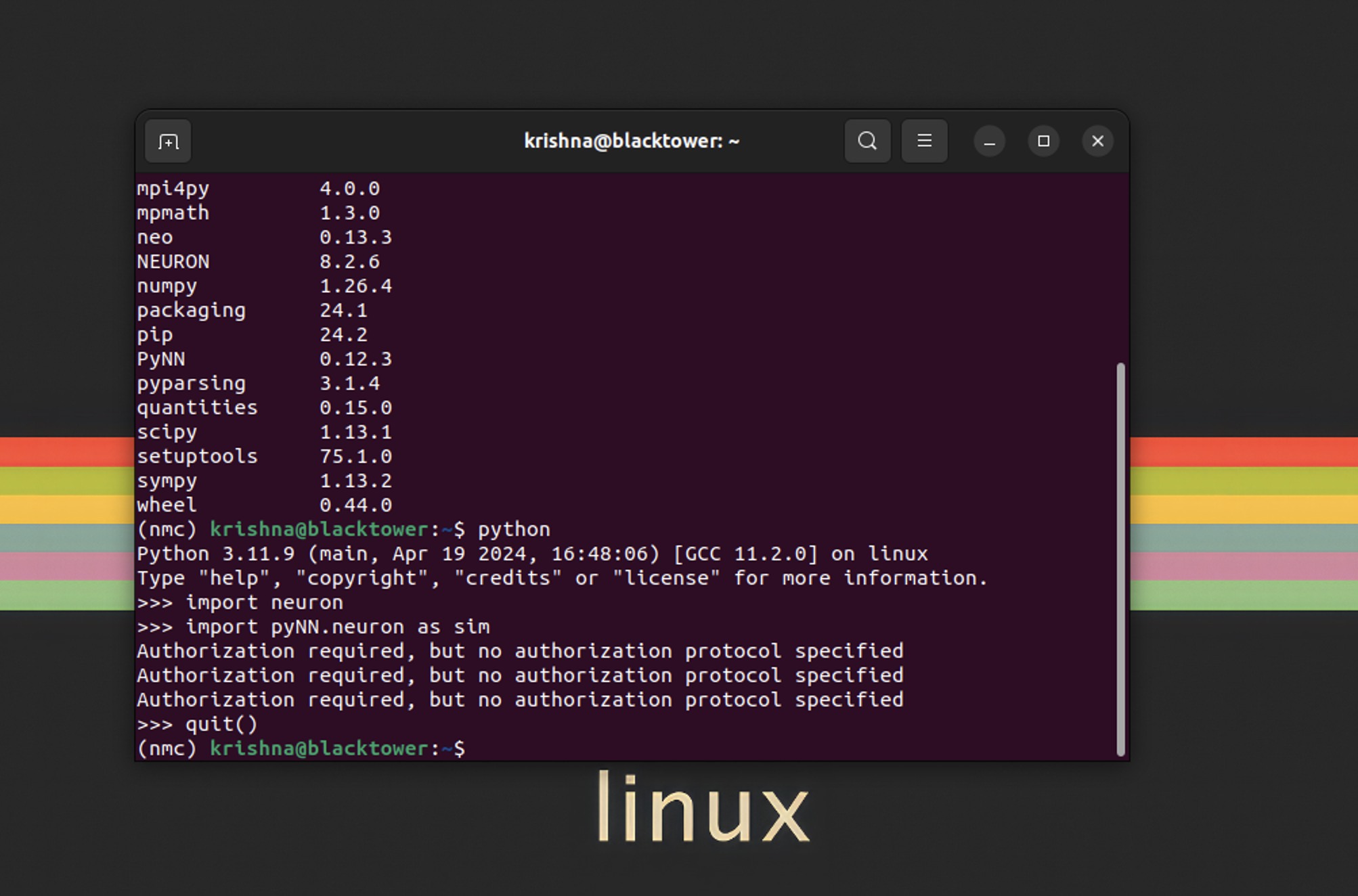
Remote Linux simulator setup
- second issue: matplotlib output did not display in the VSCode remote/SSH session. The notebook points to X11 forwarding; do not conflate this display problem with a numerical simulation failure.
- brian2 learning example:
dv/dt = (1-v)/tau : 1. Herevis dimensionless and the equation relaxes toward 1 with time constanttau; it is a tutorial model, not the later complete conductance-based neuron.
- run-record checklist: Python environment, backend, simulator version, connection method and whether plotting is interactive or saved to files. Proposed review: get a minimal non-graphical simulation working before debugging remote display.
- References saved in this journal section
- https://stackoverflow.com/questions/48833451/no-protocol-specified-when-running-a-sudo-su-app-on-ubuntu-linux
- https://superuser.com/questions/1721539/terminal-in-xrdp-session-solve-authorization-required-but-no-authorization-pr
- https://stackoverflow.com/questions/40644455/x-error-of-failed-request-badvalue-integer-parameter-out-of-range-for-operatio
- https://brian2.readthedocs.io/en/stable/resources/tutorials/index.html
- https://stackoverflow.com/questions/3453188/matplotlib-display-plot-on-a-remote-machine